Remote Building Intelligence
Remote Setup, Secure Access & IT-Aligned Support
Secure remote access, alarm routing, trend setup, dashboard checks and ongoing IT-aligned support so the system remains approved, updated and secure throughout the contract period.
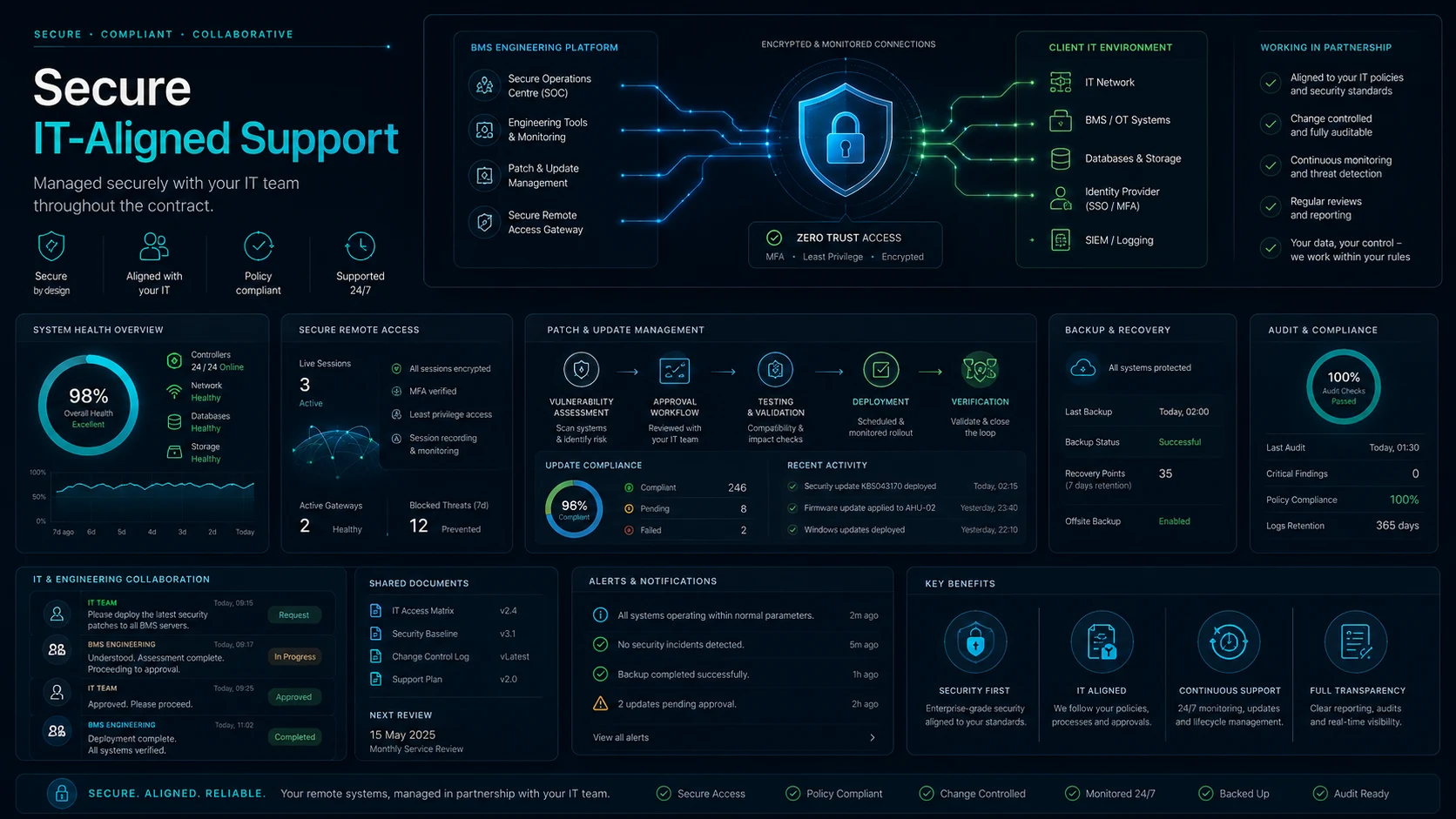
Secure by design
Working alongside your IT team throughout the contract
Remote monitoring should not bypass customer rules. Access, permissions, updates, backups and security reviews can be aligned with the customer’s IT requirements from setup through the full support period.
- Agree approved VPN, gateway, Niagara supervisor, BMS head-end or dashboard access routes.
- Support customer IT policies for permissions, MFA, change control, updates and audit evidence.
- Keep dashboards, users, alarm routes and remote support methods updated when IT requirements change.
- Provide clear documentation so facilities, IT and engineering teams know who is responsible for what.
Prepare the site for reliable remote support
Before monitoring begins, the site needs a safe and approved way for support to access the right information.
- Remote access method agreed and approved.
- Niagara station or BMS supervisor connection checked.
- VPN, secure gateway or approved remote desktop route confirmed.
- User permissions reviewed.
- Customer IT requirements, approved access routes and update responsibilities confirmed.
- Multi-building central dashboard and reporting requirements reviewed where the customer operates more than one building.
- Alarm routing checked.
- Trend logs and history availability reviewed.
- Backups and site documentation checked where permitted.
- Initial controller and sensor health review.
- LoRaWAN gateway and wireless sensor plan where extra monitoring is included.
Security-first wording
Remote support, LoRaWAN monitoring and multi-building central systems depend on approved access provided by the client, site owner, authorised contractor or IT department. The service should not bypass site security, customer permissions, radio/network rules or supplier access requirements.
Where a customer needs one central system across multiple buildings, The BEMS Guy can work alongside the customer’s IT team to keep access, updates, user permissions and security requirements aligned throughout the contract period.